





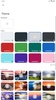
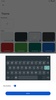







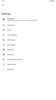
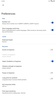
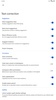

Gboard is the official Google keyboard. With Gboard, you have one of the most advanced keyboard apps available on Android. The keyboard offers everything you need, including customizable themes, content suggestions, corrector, swipe mode, a custom dictionary, the possibility of having several languages at the same time and so on.
Gboard also offers users the ability to send GIFs, emojis and stickers natively in any application or area where you can enter text. You can utilize a quick access row for emojis and symbols, as well as a predictive content search for stickers and GIFs.
Text correction is an option that can be activated to correct everything automatically or you can choose for only suggestions to appear. If you do not want to write, you can also use your voice.
Gboard supports hundreds of languages, from those spoken by hundreds of millions of people to others spoken by only a few thousand. If you speak several languages, the keyboard has quick access to switch languages. If you have added several languages and start typing in one of them, the keyboard, suggestions and dictionary will automatically switch to that language. You can also translate the text directly with the integration of Google Translator.
If you want to enjoy the most advanced keyboard on Android, download the APK of Gboard.
Requirements (Latest version)
- Android 8.1 or higher required
Frequent questions
How do I open Gboard?
After installing and setting up Gboard, the app icon disappears. To use it, go to the Android keyboard settings, and manage the keyboards there. In the Gboard settings, you can force the app icon to appear on the desktop or in the app drawer.
Is Gboard a good keyboard app?
Gboard is the official Google keyboard for Android and is the most widely used keyboard worldwide. It comes preinstalled on Pixel devices, but on other devices, you need to install it in addition to the one included by default.
What does Gboard mean?
Gboard is short for Google Keyboard, the official Google keyboard app for Android. Google initially offered two versions, with Gboard Go being the light version. However, there's only one version now: Gboard.
Does Gboard collect personal data?
Gboard stores anonymous usage data by default, but you can disable this option in the settings. That said, Gboard never collects data about what you type on the app. The company only knows what you type in Google services, such as the search engine, but never what you type in private conversations.


 389 reviews
  The app is rated excellent by most users



















Comments
This keyboard is good because it makes real corrections to spelling errors.
Excellent
Good, but cannot handle sounds.
Excellent
The app is not working on my phone, I don't know why.
Beautiful